
Instagram offers three routes to two-factor authentication

 At least 8 die, more missing, as ferry capsizes off Northern Cyprus

 Pegula shakes off nerves, Ruse in US Open first-round win

 Fernandes treble inspires Man Utd rout, Chelsea beat Brighton in thriller

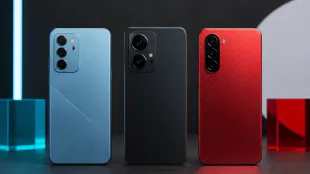
 September smartphone calendar spans Apple, Poco, Vivo and Xiaomi
 Instagram offers three routes to two-factor authentication

 Russell Hobbs dual air fryer discounted to £99

 Eight dead and 23 missing after ferry sinks off Cyprus

 Former Nottingham hospital chief linked to NHS training firm

 UK clocks return to GMT on October 25

 Data-centre opposition crosses US party lines

 Brighton swimmers adjust routines around sewage alerts

 Practical boundaries can reduce group-chat overload

 Screen-free fitness bands gain ground as users seek fewer alerts

 Robinson strikes again as England wrap up Pakistan series win

 Red-hot Chelsea not the finished article says Alonso

 Dortmund's Konstantelias to miss 'several months' with knee injury

 Chelsea beat Brighton in seven-goal thriller, Leeds hold Brentford

 At least seven die in ferry capsize off Northern Cyprus; 23 missing

 In-form Marc Marquez wins Aragon MotoGP Grand Prix

 At least six die in ferry capsize off Northern Cyprus

 Niamey back to normal after soldier mutiny

 King Haakon joins Norway memorials for Harald

 NASA launches Roman telescope on cosmic mapping mission

 Van Dijk wants Gakpo to stay at Liverpool amid Man City interest

 Five-wicket Abbas has Lord's landmark as Pakistan set 389 to win second Test

Instagram users can protect logins with codes from an authentication app, SMS or WhatsApp through Meta's Accounts Center.
Instagram's two-factor authentication adds a verification code when an account is accessed from a device the service does not recognise. The feature is managed through Meta's Accounts Center and supports authentication apps, text messages and WhatsApp.
To activate it, users open their Instagram profile, select the three-line menu, enter Accounts Center and choose Password and security. They then select Two-factor authentication, choose the Instagram account and follow the setup for their preferred method. Meta recommends authentication apps such as Duo Mobile or Google Authenticator and allows more than one device to receive codes. SMS can use an existing or newly added phone number. WhatsApp delivery becomes available only after text-message authentication has first been enabled.
The same menu can disable an individual authentication method. Instagram also provides backup codes for cases in which a user loses access to a phone or email. Account holders can review login requests and remove devices previously marked as trusted. Two-factor authentication makes a stolen password less useful by requiring a separate code, although users should retain backup access securely.
X.Matos--PC